

Subdomains
Subdomains are created by accessing your admin control panel. You can create up to 10 subdomains, and subdomain naming are on a first come first serve basis.
Creating a Subdomain
A subdomain is a custom name added before the base domain dcism.org. For example, in tutorial.dcism.org:
tutorialis the subdomain.dcism.orgis the domain.
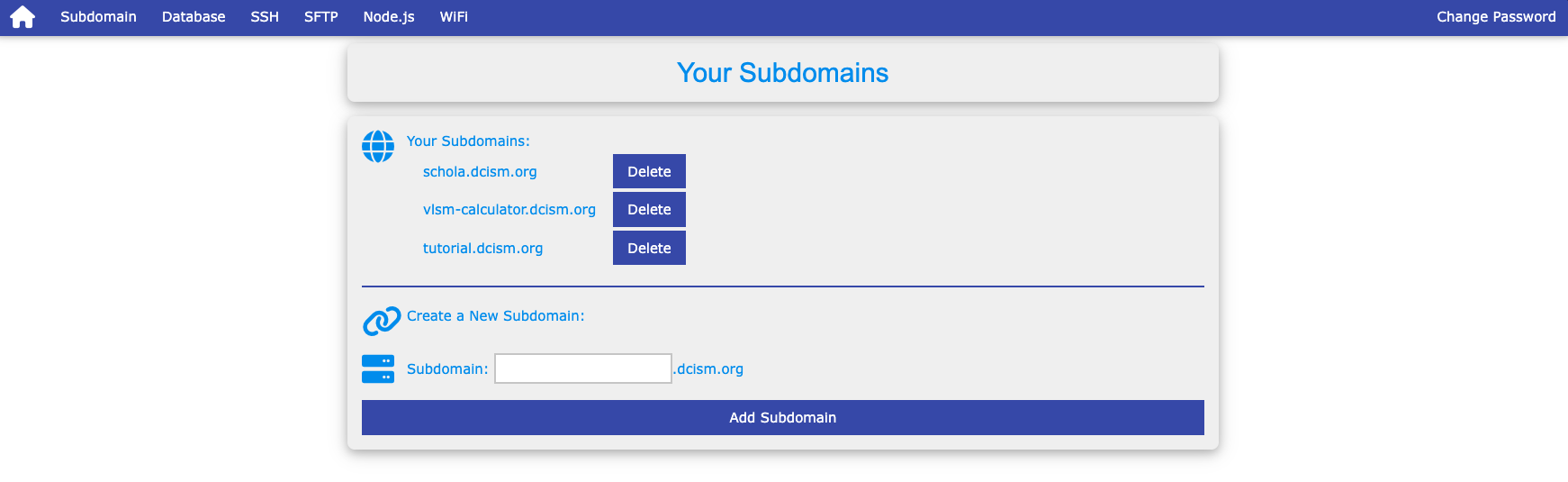
To create one:
- Log in to your admin panel with your DCISM credentials.
- Navigate to the subdomain section.
- Enter your desired subdomain name (e.g.,
tutorial). - Save your changes. If the name is available, it will be created as
subdomain.dcism.org.
NOTE
- Subdomain names must be unique across all
dcism.orgusers. - Subdomain names cannot contain underscore.
Once a subdomain is created, it also creates a folder in your remote file directory named after your subdomain. You can use this folder to upload files, or use Git Version Control in order to manage folders and files.
